Cinejoy APP | Watch HD Movies & TV Series

Dive into the endless world of movies, series, and anime with Cinejoy, your ultimate destination for ad-free streaming and a vast selection of entertainment & OTT content. Stream online in your desired video quality or download movies to watch offline anytime.
✅ 100% Safe & Fast Download
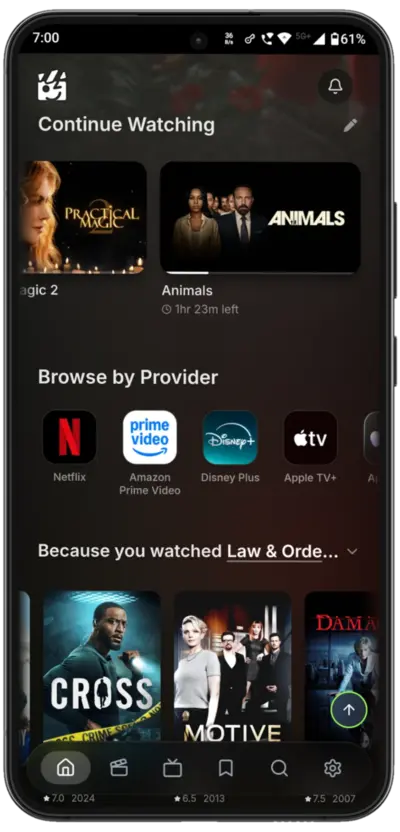
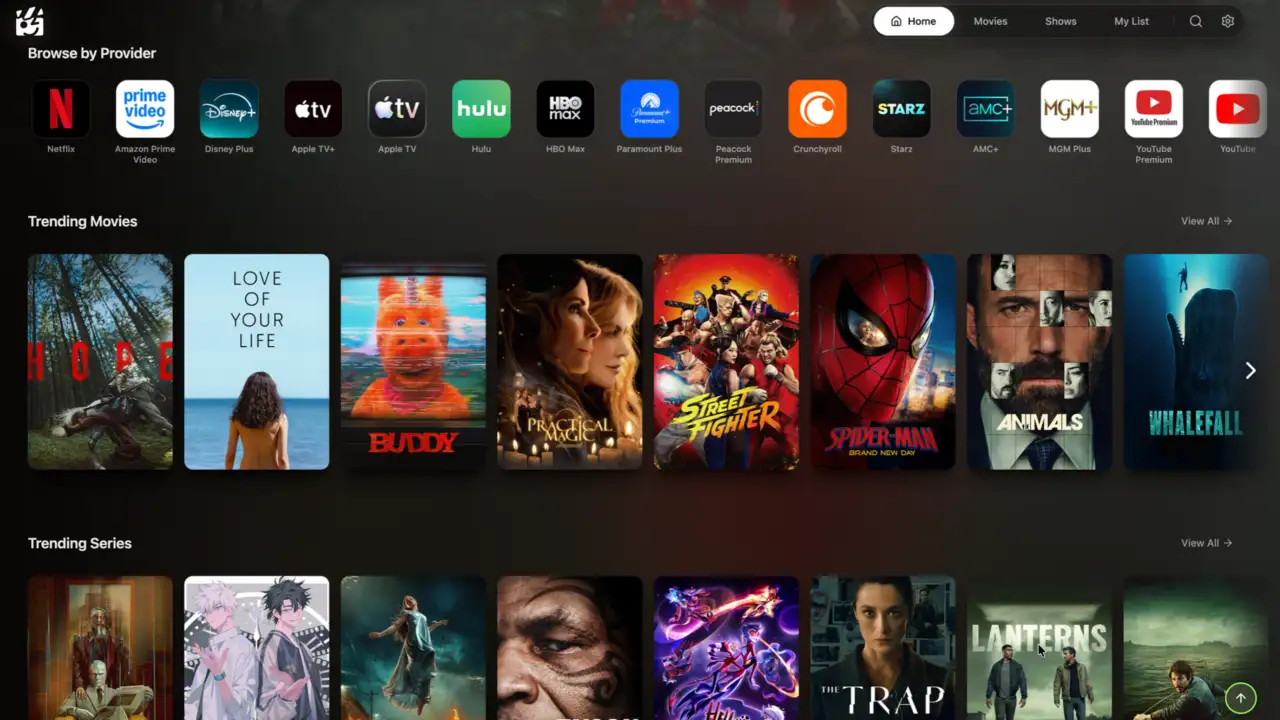
Cinejoy brings the ultimate joy to all movie lovers, offering free access to the biggest content library that includes regional & international movies, TV series, and anime content. Users can watch full movies and shows without a paid subscription or any formality of account registration. The cherry on top is that the app features exclusive OTT titles from 20 top platforms, so you don’t have to switch multiple apps.
These days, free streaming platforms are capable enough to offer Netflix- and Prime-level user interfaces, reliability, and faster loading speeds. When it comes to its content library, Cinejoy has a bigger collection than any other OTT platform because it aggregates content from other sources and third-party servers, giving it a wider range of videos and faster content updates.
Even those who have multiple OTT subscriptions still use Cinejoy because it also provides Hollywood movies, reality shows, and TV series that are not released on OTT yet. Movies are instantly available, which sometimes takes months to get on OTT, but if you have Cinejoy, you can watch trending titles and just-released movies in HD.
Introduction to Cinejoy
Cinejoy is a portable mini theater that is filled with thousands of on-demand entertainment content, movies, TV series, anime, etc to watch online in higher resolution on the go. It is a robust tool for Android, iOS, PC, and Smart TV devices, letting users seamlessly watch their favorite movies on any compatible device with a top-grade user experience, zero buffering, and no ad interruptions, so they can fully immerse themselves in the storytelling.
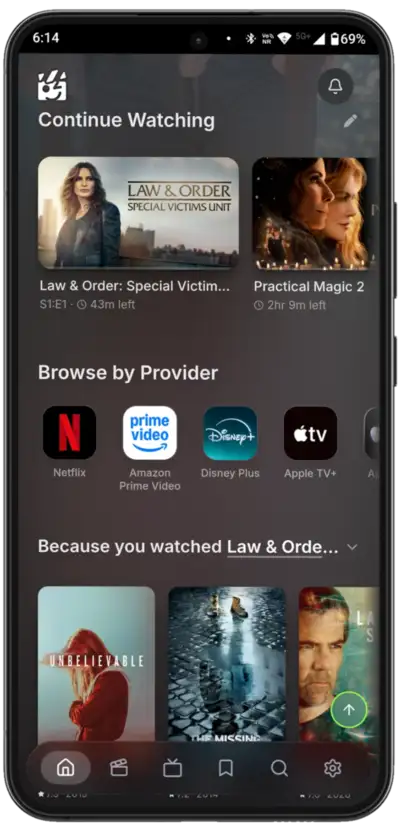
Ease of use is the key focus, so the interface you get within this app is quite stable and lightweight, works faster than most other apps, and the look and feel it delivers set the highest standard for a free streaming platform. Not only in terms of look, but the actual functionality exceeds expectations as it offers customizable subtitles, personalized suggestions, and a wide range of video quality for all movies & shows, and Chromecast support to watch films on a bigger screen.
With a few taps, viewers can browse the vast list of content and access the search bar that helps them find any desired title they want to watch. The platform outshines its competitors with its constant updates, speed of access, and wide range of device compatibility, making it one of the most beloved apps for watching movies and shows.
How to Download Movies From Cinejoy?
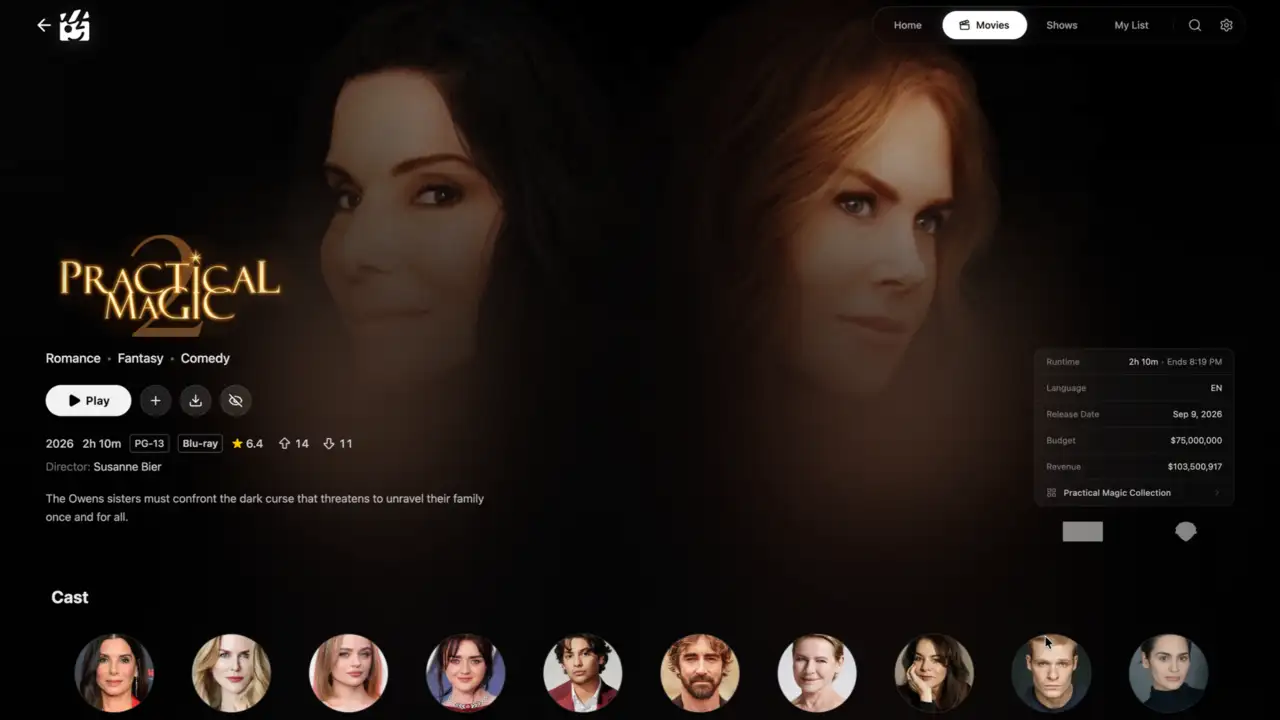
All the videos available on Cinejoy can be downloaded for offline viewing. If you’re traveling or want to watch videos without internet, then you should prefer downloading instead of the standard streaming method. To download videos, simply select the movie or series you want to download on Cinejoy and click on the Download icon beside the Play button, then choose the preferred video resolution, audio track, and subtitle language to start downloading. Once the movie is downloaded, it will be accessible through the default gallery app and can be played using an external media player.
Top Features of Cinejoy
Over 100 million+ people are actively using Cinejoy, and it is one of the safest and most reliable platforms and it is built for convenience, so you can start watching without a complex setup and formality of account registration.
Sleek Interface
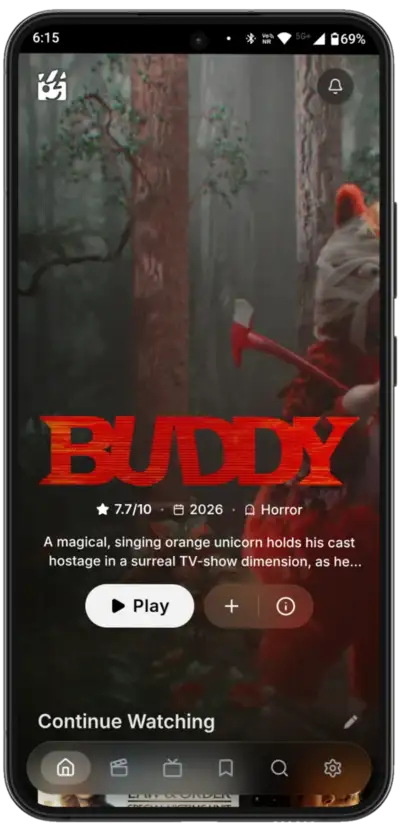
The core design and layout of Cinejoy integrate its features seamlessly into a clean, clutter-free interface. It offers an organized library, with all the essential features easily accessible, as options like bookmarks, watch history, and a search bar add to the UI, making it more functional for daily usage.
Faster App Performance
The latest Cinejoy app is optimized for low-end devices, delivering a smooth user experience and faster response time. The app uses cache and compression technology for poster images to load content on the home screen feed and archive sections faster, even if the internet is slow.
Create Playlist
With the Cinejoy app, you don’t need to log in to create a custom playlist. Even a guest user can easily create a playlist and give it a name such as “My Favorite Movies” and add all the titles they want in it to be able to locate it later anytime when needed without having to search for it on the platform.
Playback Settings
Viewers can control media playback aspects such as speed, zoom, and volume boost. It also offers an auto-skip intro option. Under App Settings > Player Controls, the customizer lets you modify the media player as desired. You can remove buttons, change their positions, and adjust their colors.
Offline Mode
To avoid buffering and internet reliance, offline downloading is an amusing feature that enables users to save movies and shows on the device’s storage to be able to play videos from this app without internet. Watching downloaded videos also removes frequent buffering and server issues.
All OTT Content
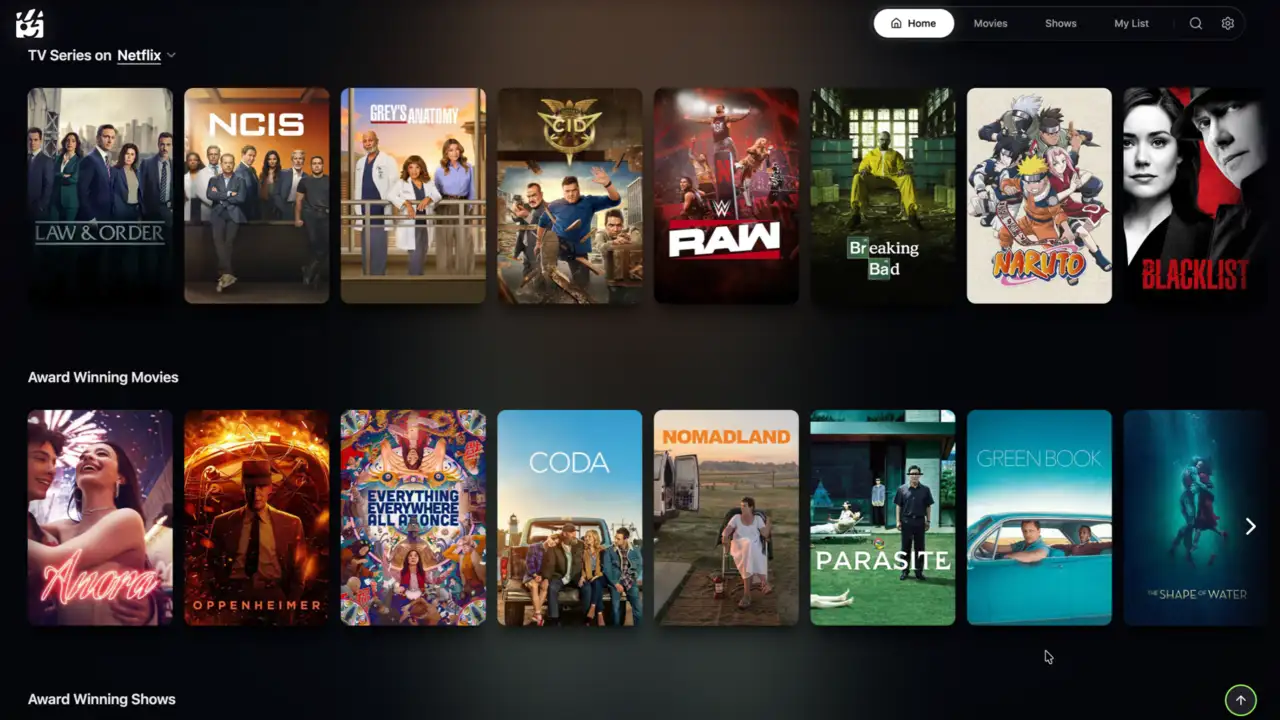
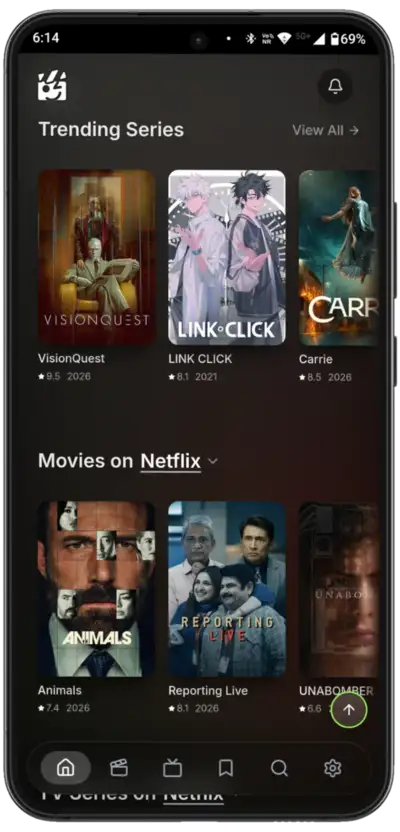
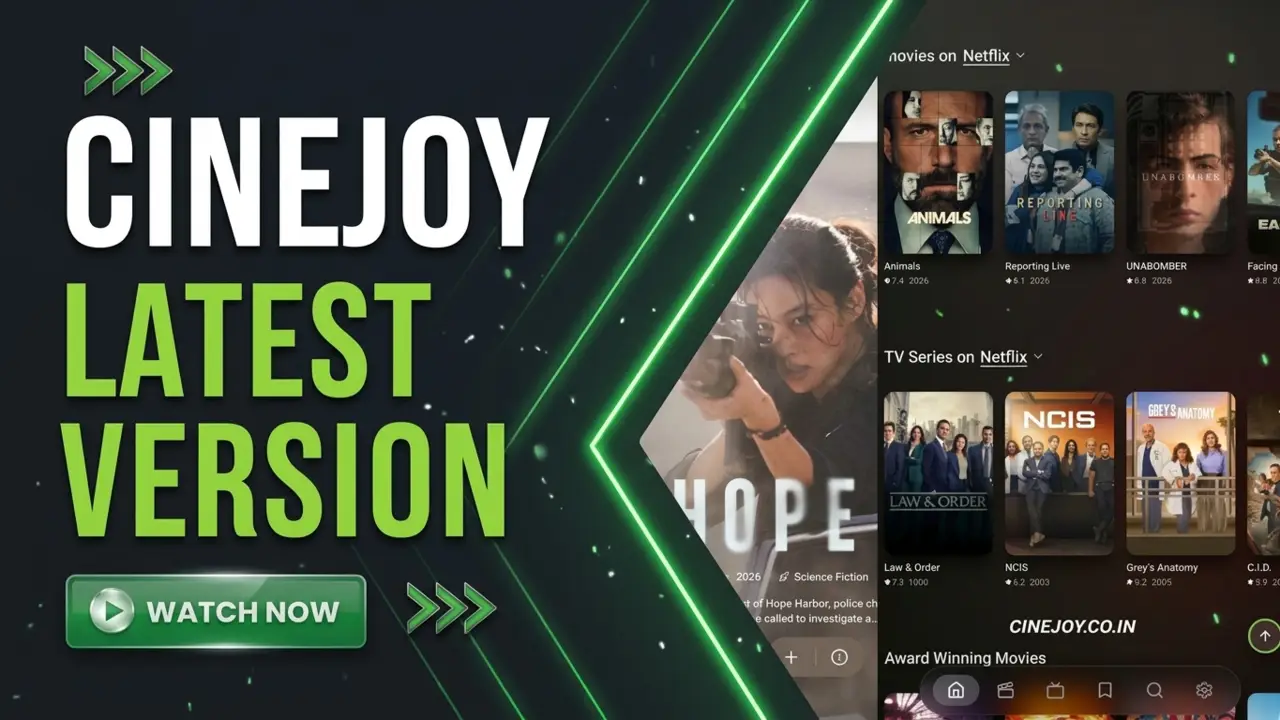
Premium OTT platforms like Netflix offer exclusive libraries available only through paid subscriptions. But Cinejoy brings these premium titles to your feed without requiring you to install any OTT app, changing the game entirely by offering content from multiple platforms together in one place, just a tap away.
Auto Resume
If you’re someone who completes a movie or series in multiple settings, like you watched two and a half episodes today, so the next day when you open this app to watch the third episode, which you have half watched, the app automatically resumes playback from where you left off, letting you pick up right where you stopped.
No Annoying Ads
Streaming apps filled with ads are more of a frustration than a stress buster. People watch movies during free time to escape daily tension, and in respect of that, the official Cinejoy app aims for a premium-grade user experience, and it removes all the ads, allowing viewers to stream full movies without any advertisements getting in their way.
Personalized Movie Suggestions
As you use Cinejoy for a while, it tracks your watch history and other in-app activities such as watch hours and time spent on a video; Its AI model understands an individual’s movie preferences, then suggests similar content that matches their interest, so hidden gem-like content will come up to you without searching for it.
Download Cinejoy App Latest Version 2026
| Name | Cinejoy |
| Version | V3.0 |
| Size | 7 MB |
| Price | Free |
| Updated | 6 Hours Ago |
| Developer | Team Cinejoy |
| Downloads | 98 Million+ |
| Compatible With | Android 6.0 and up |
| Category | Entertainment |
How to Download and Install Cinejoy on Android?
Cinejoy is compatible with all Android devices, and installing it is a breeze. For clear instructions, here is the step-by-step guide to download and install this app.
Step 1: First of all, navigate to your device’s Settings and tap on the search bar, then look for the “Install Unknown Apps” option.
Step 2: Click on “Install Unknown Apps” and select the browser you use and tap on the toggle icon to allow the browser to install APK files using it.
Step 3: Launch a browser and visit our website, “Cinejoy.co.in“, and click on the Download button to get the latest Cinejoy APK file.
Step 4: Once the download starts, go to the Downloads section in the browser and check the progress.
Step 5: Cinejoy APK is an extremely optimized and lightweight app with only a 7MB base app size, so the downloading process will be very quick. When the app is downloaded, click on it and tap on the Install button.
Step 6: The app will be installed shortly, and its icon will appear on the home screen, so click on the Cinejoy app icon to launch the app.
How to Install Cinejoy on Smart TV?
Whether you have a Samsung TV, LG TV, any Android TV, or Firestick TV, Cinejoy can be installed and works smoothly across all devices. If the APK file is incompatible, you can use the web portal to access the platfom via a browser.
- Start with your phone, launch a browser, and download the latest Cinejoy APK file from a trusted source.
- After the APK file is downloaded, go back to the home screen and open the Settings menu.
- Tap on Security and Restrictions, then click on “Unknown Sources of app installation” and enable it.
- Launch the official app store on your TV and install a File Manager app such as AnExplorer or RS File Manager.
- Connect your phone to the TV via a USB cable and launch the File Manager app.
- Locate your phone storage and then find the downloaded Cinejoy APK file, then copy or move it to your TV’s internal storage.
- Unplug your phone from the TV, then locate the Cinejoy APK file on the TV screen and click on it.
- A pop-up will appear on the TV with an Install button, so tap on it to install this app.
- After installation is finished, you can find the Cinejoy app icon on the home screen, and tapping on the icon will launch this app.
How to Use Cinejoy on Android?
The app’s simple layout makes it easy to explore its content library and use its features for a better viewing experience. With an organized content feed, a built-in search bar, and advanced customization options, it delivers an experience that comes close to a premium OTT platform.
- The first time you launch Cinejoy, it may ask you to choose your preferred language and favorite genres for a personalized experience.
- After language selection, it will take you to the home feed where you can explore popular and trending content from all genres.
- Scroll down to dig deep into the content library, which is categorized into sections like Trending Series, Movies From Netflix, Award-Winning Shows, Top-Rated Movies, and more.
- For a curated content list, select the Movies, Series, or Anime option in the bottom navigation and then choose your favorite genre, such as romance, action, or sci-fi, to filter content based on your chosen genre to easily discover relevant titles.
- If you have a movie or series in mind that you want to watch, click on the search icon in the navigation menu and type the name to instantly find it, then click on it to open the title.
- When you select what you want to watch, tap on the Play button to start streaming the video right away. Turn on auto-rotation on your device and switch the phone to landscape position for full-screen viewing.
- Now, adjust video resolution, playback speed, subtitles, and other options to fine-tune your viewing experience and enjoy the show.
How to Use Cinejoy on iOS?
Since Cinejoy is not available on the Apple App Store, you can’t install it like an ordinary app. Following the easy method given below, you will be able to safely access this app without having to sideload any IPA file.
- Launch the Safari browser and search for Cinejoy Web
- Click on the first site in the search results to launch the Cinejoy official web portal.
- Tap on the Share icon inside the browser and scroll down to it, then click on the “Add to Home Screen” option.
- Edit the app name you want and click on the “Add” button next to it.
- Now, you can see the Cinejoy app icon on your iPhone or iPad’s home screen, so click on it to launch Cinejoy.
- Look for the movie or series you want to watch and click on the “Pay” button to stream online right away, or tap on the “Download” icon to save the selected title on your device’s storage to watch later anytime without internet.
- Give Drama Live a shot if you’re seeking for Cinejoy’s alternative for iOS.
Why Cinejoy is Better than Other Free Platforms?
There is a stereotype that a free streaming platfom would be made up of unstoppable, annoying ads, no premium content, very slow loading, and is totally inconsequential. But Cinejoy not only breaks that stereotype in pieces, but it has leveled the playing field so that even premium streaming services might not have a chance against it.
Streaming apps aren’t just limited to a huge content library; it is about an overall user experience that is impacted by various factors. Cinejoy excels in almost every area compared with top-tier streaming platforms, offering high-quality streaming, multi-server support to minimize buffering, and a no-ad-interruption policy that raises the standard.
| Features | Cinejoy | Other Free Streaming Platforms |
|---|---|---|
| Video Quality | 1080p and 4K resolution supported | Unstable video resolution |
| Offline Downloads | Fast downloading option | Not Available |
| Interface | Premium Netflix-like UI | Cheap and laggy interface |
| Ads | Completely Ad-Free | Banner and popup ads |
| Compatibility | Works on Android, iOS, PC and TV | Limited device support |
| Availability | Available in both web and app format | Mostly in web format |
Pros & Cons
Pros:
Cons:
FAQs
Why use Cinejoy?
The biggest factors are its tremendous content library that includes exclusive OTT titles, higher-resolution playback support, multilingual subtitles, and ad-free streaming for free, so if someone can’t afford premium streaming services, they can rely on Cinejoy as they get a similar user experience without making any payments.
What content is available on Cinejoy?
On Cinejoy, a user can find a wide variety of on-demand entertainment content that includes Bollywood, Hollywood, and South Indian movies, Asian dramas, Web series, and much more.
Is Cinejoy available on Google Play Store?
No, the official Cinejoy app is not available on the Google Play Store or the App Store because it is an unlicensed OTT and streaming platform.
Is using Cinejoy legit?
Legitimacy depends on how you use this app and your regional laws regarding copyright and the DMCA. Users should familiarize themselves with the laws and regulations applicable in their region before using this app.
How to enable subtitles in this app?
Simply tap on the Subtitle button inside the media player and click on the toggle icon to enable it, then tap on the language option to choose from available languages, and then click on “Customize” if you want to change font, size, color, and other elements.
How do you trust Cinejoy on iPhone?
To access Cinejoy on iOS devices, you don’t need to download or install any IPA file; simply use the Safari browser and search for Cinejoy Web and tap on the first link in the search results to open the official web portal.
Is it completely free to use Cinejoy?
Yes, Cinejoy is entirely free as it does not ask for any purchases and does not pose any restrictions.
How to fix Cinejoy not loading content?
If Cinejoy is not loading content, maybe the platform is blocked by your ISP, so simply install a reliable VPN app on your device and use it to bypass this restriction and continue buffer-free streaming of HD movies and shows.
Conclusion
Cinejoy is a fantastic app and an ideal choice for those who are looking for a subscription-free and reliable platform to watch high-quality movies, series, and anime content. With this app, users can get access to its full library and enjoy FHD streaming as well as offline downloads without mandatory account registration.
What makes it special is its clean and ad-free interface that lets users indulge when watching a movie or series without sudden ad breaks ruining their experience. Multilingual support expands its reach globally, and the app includes IMDb-rated movies so viewers can discover hidden gems easily.
Whether you have an Android, iOS, PC, or Fire TV device, you can install Cinejoy across all your devices as it consumes minimal storage space and resources, ensuring a lag-free user experience. The app ticks all the right boxes with its extensive content library, useful features, and broad device compatibility, making it well worth a try.